Generative AI used to be notorious for giving people odd numbers of fingers and moving their arms to places from which humans don’t typically sport limbs. Models have certainly come a long way in image generation over the past few years, but it can still be a bit challenging to create a consistent image repeatedly.
Consider comic book artists – they have to draw the same character, over and over, in a variety of different settings, poses, and conditions. It doesn’t take much for the audience to say, “Those two pictures don’t look like the same person.” So, how can you get your generative AI to provide the consistency that people like Jack Kirby and Neal Adams took years to develop?
Step 1: Create a Reference Image
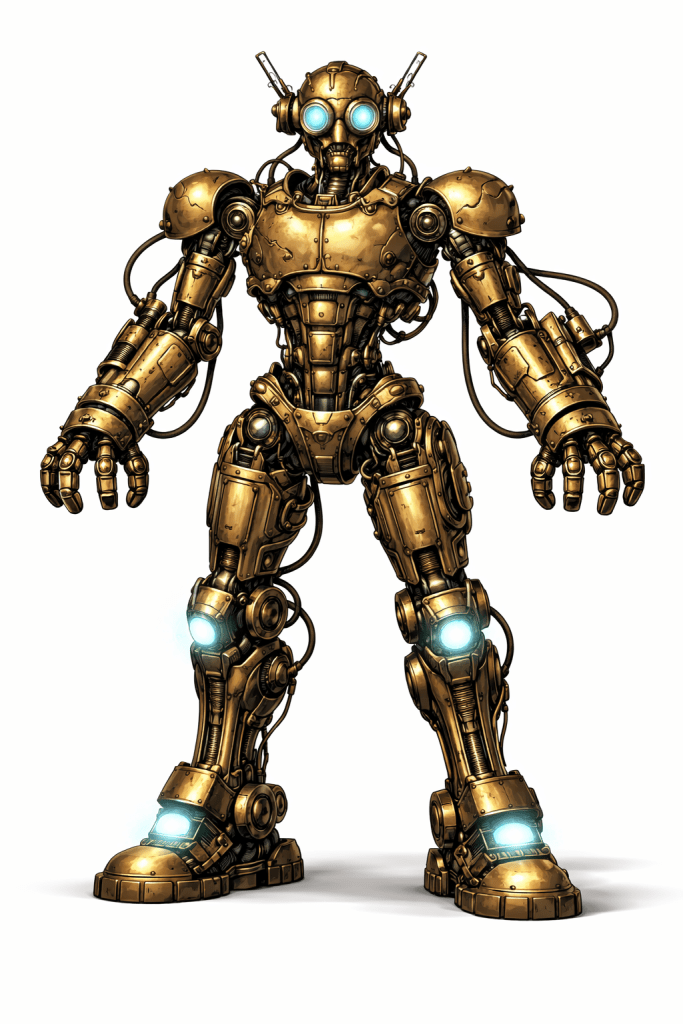
The reference image is the keystone — if you’re using a general generative AI system, rather than a tool dedicated to illustration, your AI helper will likely lose context over time, especially if you open new conversations to create future images. You’re just going for the physical look and description.
Step 2: Name Your Creation
A specific name for your character makes future querying much easier. Keep it short and simple. The robot I began using a while back for my blog featured images is “Kato.”
Step 3: Ask AI for reference text
Let your AI do some of the work here. Run this query, just make sure you clearly identify the reference image.
This is the reference image for a character I’ll call “Kato.” Give me a short text block describing the non-negotiables of the Kato reference image. I’ll include this text with all requests for variant images in the future; the purpose of the text is to enforce visual consistency across variations of pose, scene, or lighting.
The reference text you get back should be descriptive and directive. Mine starts like this: “Kato is a humanoid robot with a brutalist retro-futurist design. Maintain the exact overall body structure, proportions, and silhouette from the reference image…”
Basically, ChatGPT provided about 200 words of boilerplate specifications for Kato’s physical appearance.
Step 4: Generate Variations
Whenever you need a variation of the character, combine your reference text with specifics of the variation you want.
If you’ve started a new query or your existing conversation has gone on long enough to make drift a concern, just re-load your reference image as well as the reference text.
Your variation query will include specific asks for the environment, clothing, pose, expression, and more. Don’t forget technical variations as well, such as, “Generate an image with the correct proportions for a WordPress featured blog image,” or whatever the usage case is.
Step 5: Fun Follow-Ups
For some usage cases it may be useful to expand the reference image library. For example, if I were making a web comic featuring Kato in dangerous situations, I might want him to show damage in a particular way. I’ll create a secondary reference image that captures this peculiarity.
Please create a secondary reference image for Kato. This one is specific to Kato being damaged by energy, such as lasers or radiation. This kind of damage manifests as small scorch marks from which red and white mushrooms grow.
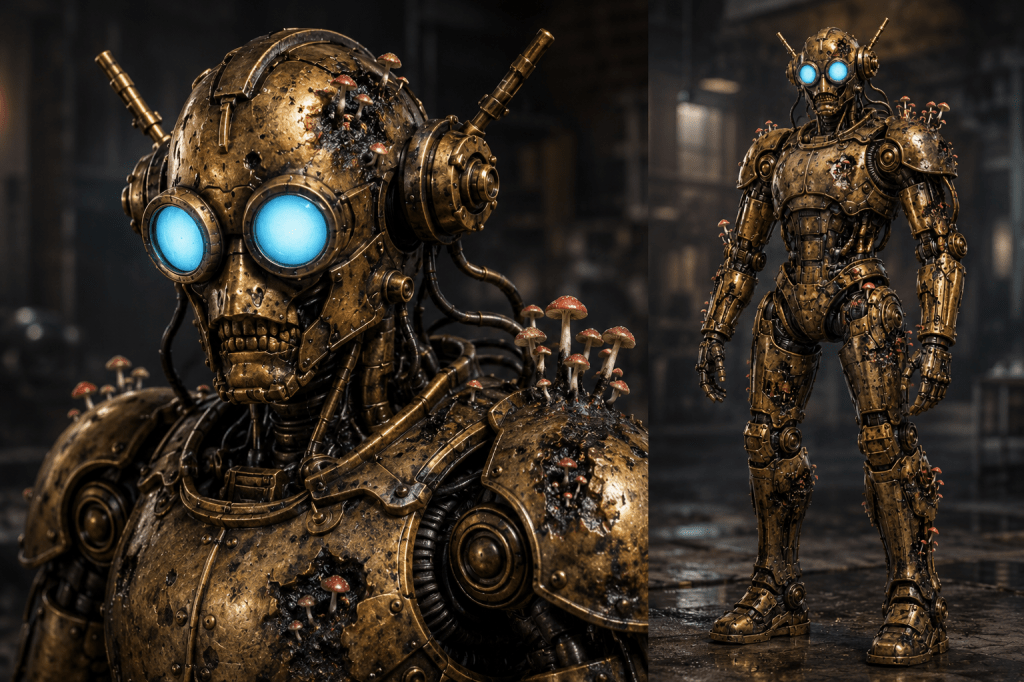
Later, if I want to show Kato battling laser-wielding pirates on the surface of the moon, I’ll have an easy way to keep his unique wounds consistent. Not that I’d do that to Kato, of course, he’s busy helping with my blog.


Leave a Reply